Awaiting Export
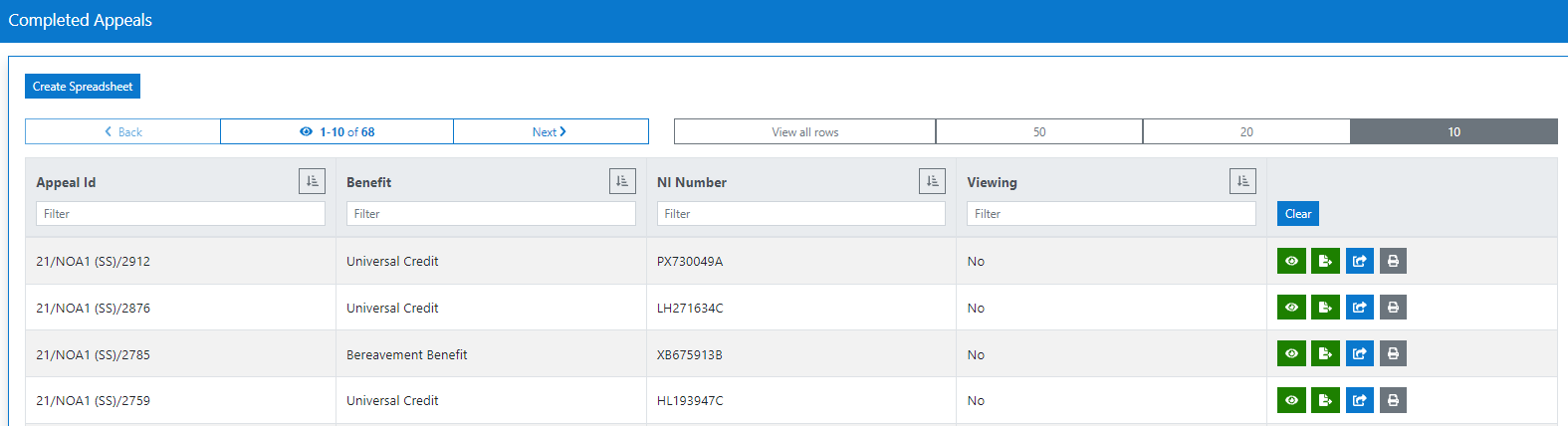
This screen will display a grid view of all awaiting export appeals.
At the top of the grid view are navigation buttons, which can be used to adjust how many results are viewed on screen. Back and next buttons can be used to navigate through multiple screens. To filter the list, type into the column header text boxes or click the filter button which will sort the appeal types into alphabetical or numerical order.
View Appeal
To view an appeal, click the view icon associated with the appeal you wish to view.

Exported Appeals
An external scheduled job will pull applications from the 'Awaiting Export' tab over to the NIAPS2 system.
Once applications have been pulled across to NIAPS2 they will move from the awaiting export state to the exported state, leaving the awaiting export grid view. Exported applications will be searchable through the Search Appeal Functionality. Please see Search Appeal User Guide