Configuration
Secure Messaging is a configurable service, allowing flexibility with the type of message(s) that can be sent. These are complex settings and for most clients, managed by Stiona Software directly. If you do not have the Configuration permission, you will not see the configuration message on the left hand menu. Any changes should be requested via the Stiona helpdesk.
If your service is setup with Configuration permissions then the configuration screen enables an authorised Service Admin to configure the Secure Messaging service to meet their specific requirements regarding the types of messages they can send, the recipients of those messages, any notifications generated and the ability to add additional reference fields.
The screen is accessed from the left hand menu item :
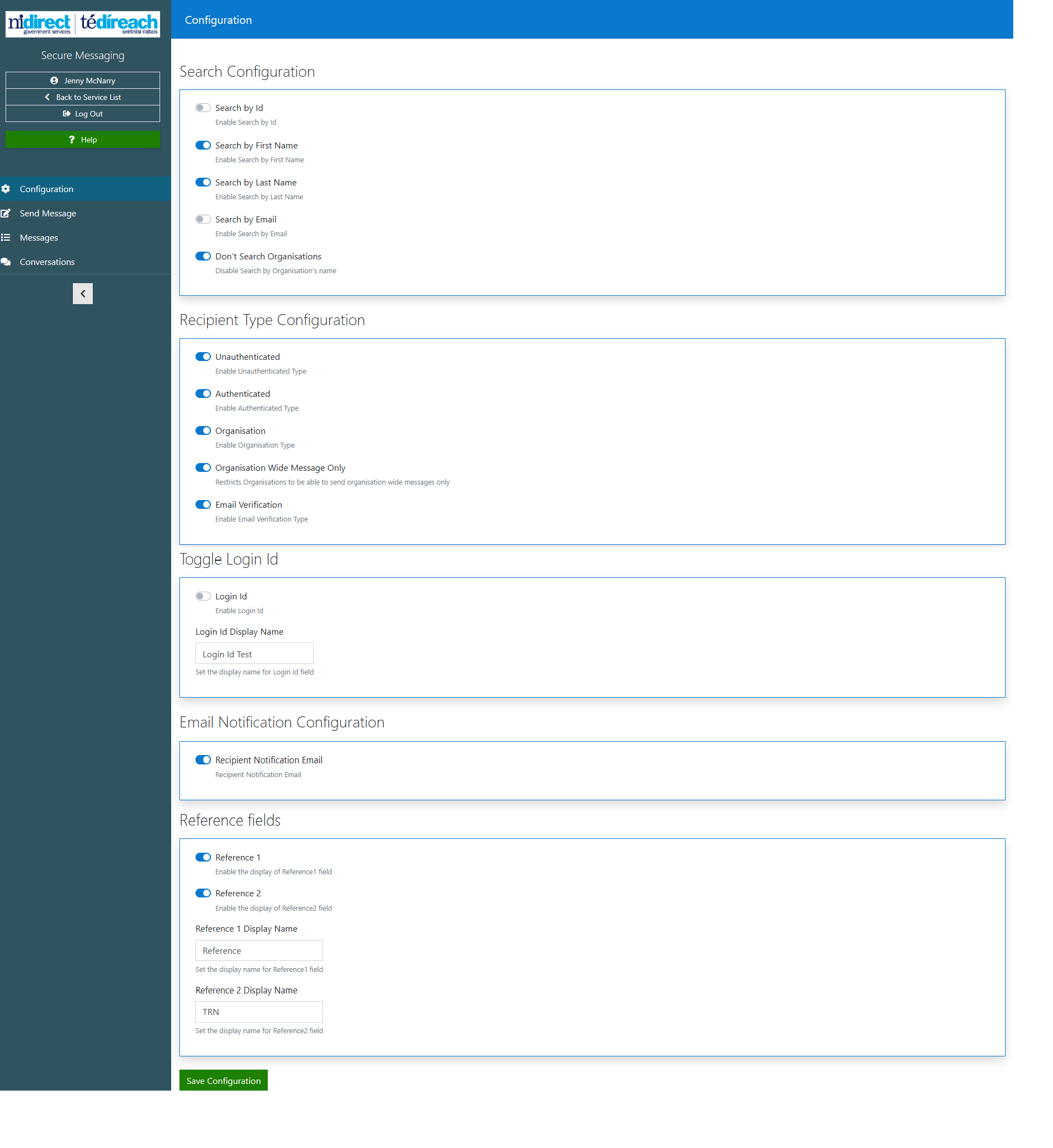
The selections made on the configuration screen, will dictate the functionality available to you on the different flows of the Secure messaging Service.
Note
Any changes to the configuration must be confirmed by selecting the 'Save Configuration' button at the bottom of the screen
Search Configuration
The following toggles will determine how the various search options will appear within the secure message screen.
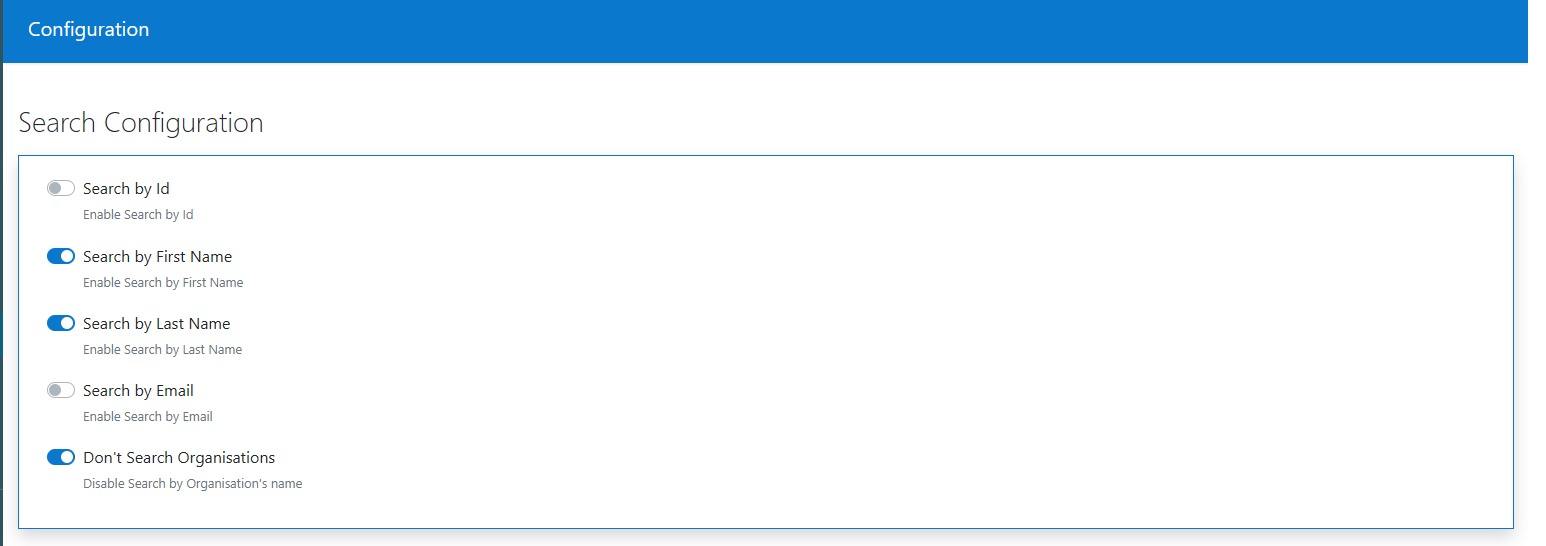
For example, on the organisation search - if the toggle 'Don't search Organisations' is on, the organisation search will be a dropdown

otherwise it will be a search

Recipient Type Configuration
There are several different types of recipient for a Secure Message. A service can choose to allow all recipients or only one. This will be reflected in the Send message screen.

Toggle Login ID
This allows the Admin to change the name of the LoginID display name. The claim value can be set to email or PartyId - via the claim value item in static data. If set to PartyID, the loginId will be displayed rather than the email address.

Email Notification Configuration
This toggle enables the Service admin to turn off the issuing of recipient notification emails on the service. This means that no advices of Secure messages or responses will be received by the Notification email recipient.

Reference Fields
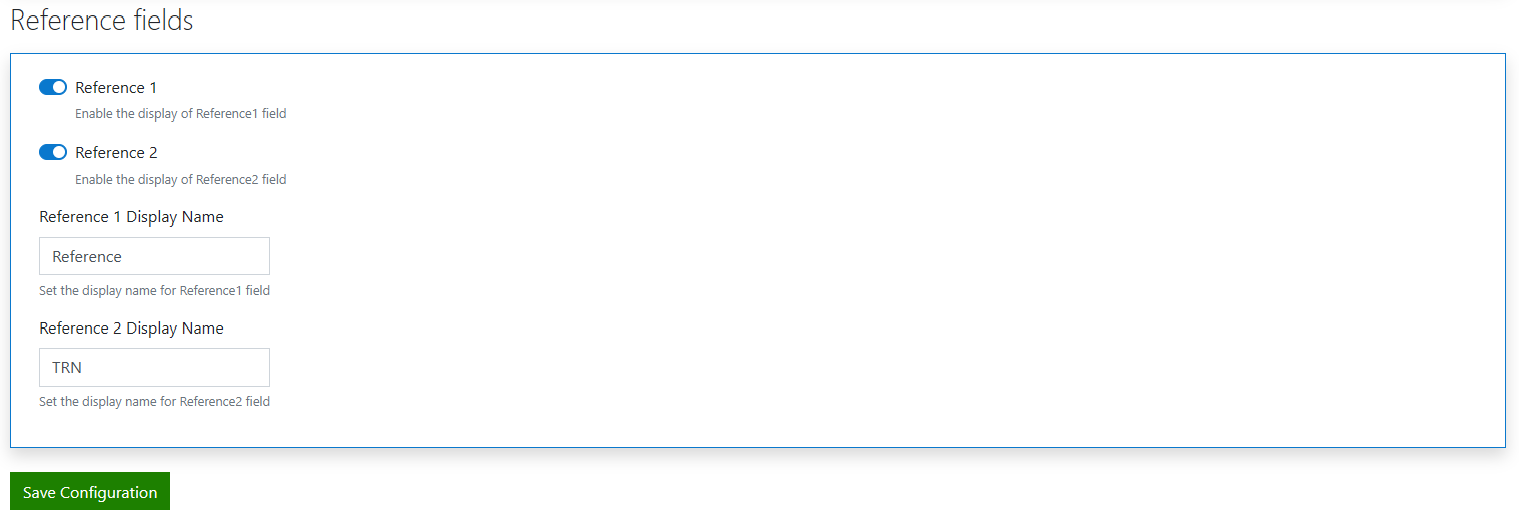
These toggles enable the user to add up to two reference fields to the secure message template. They can add bespoke display names to the fields and they can appear on the message and be displayed on the message table:


Caution
Any changes to the configuration settings may affect the way you expect your service to operate. Please be aware of any changes you make and the consequences they may have before proceeding.