View Bookings
Today's Bookings
In order to view today's bookings
- select the item from the left hand menu
- Select the Location
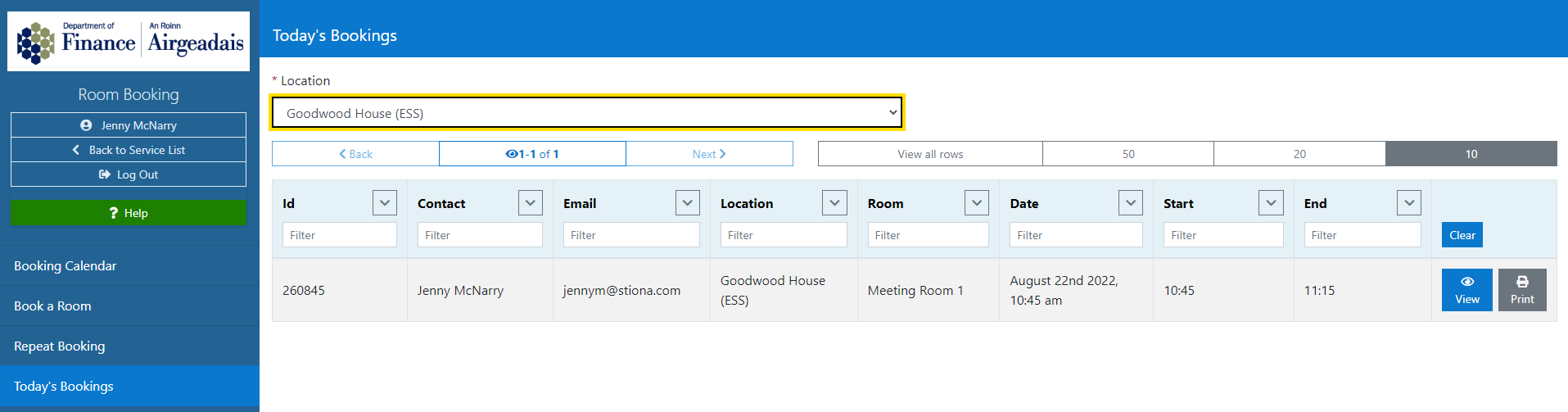
The screen will display all the bookings for today's date at this location.
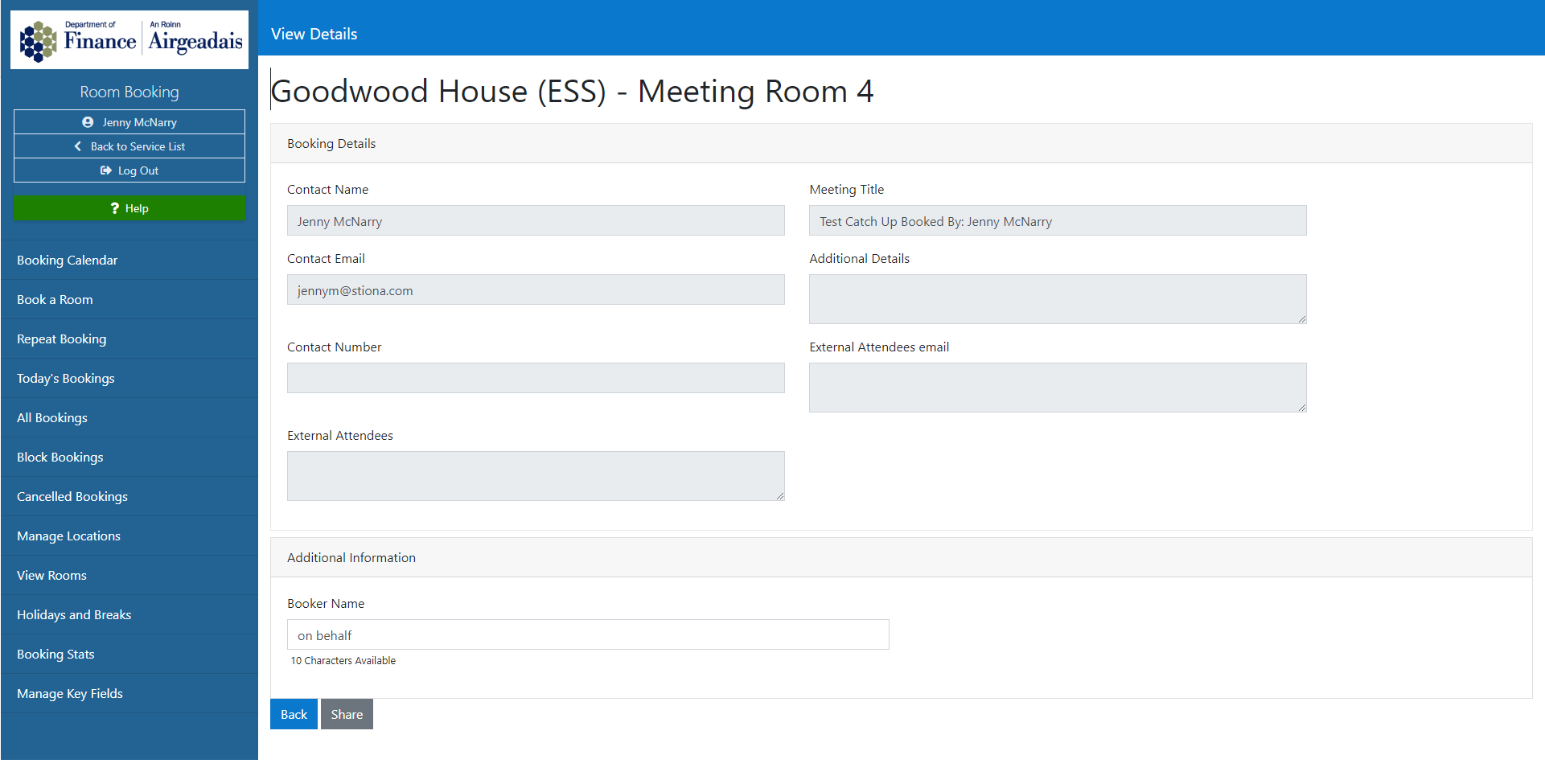
Each booking can be viewed by selecting the View button
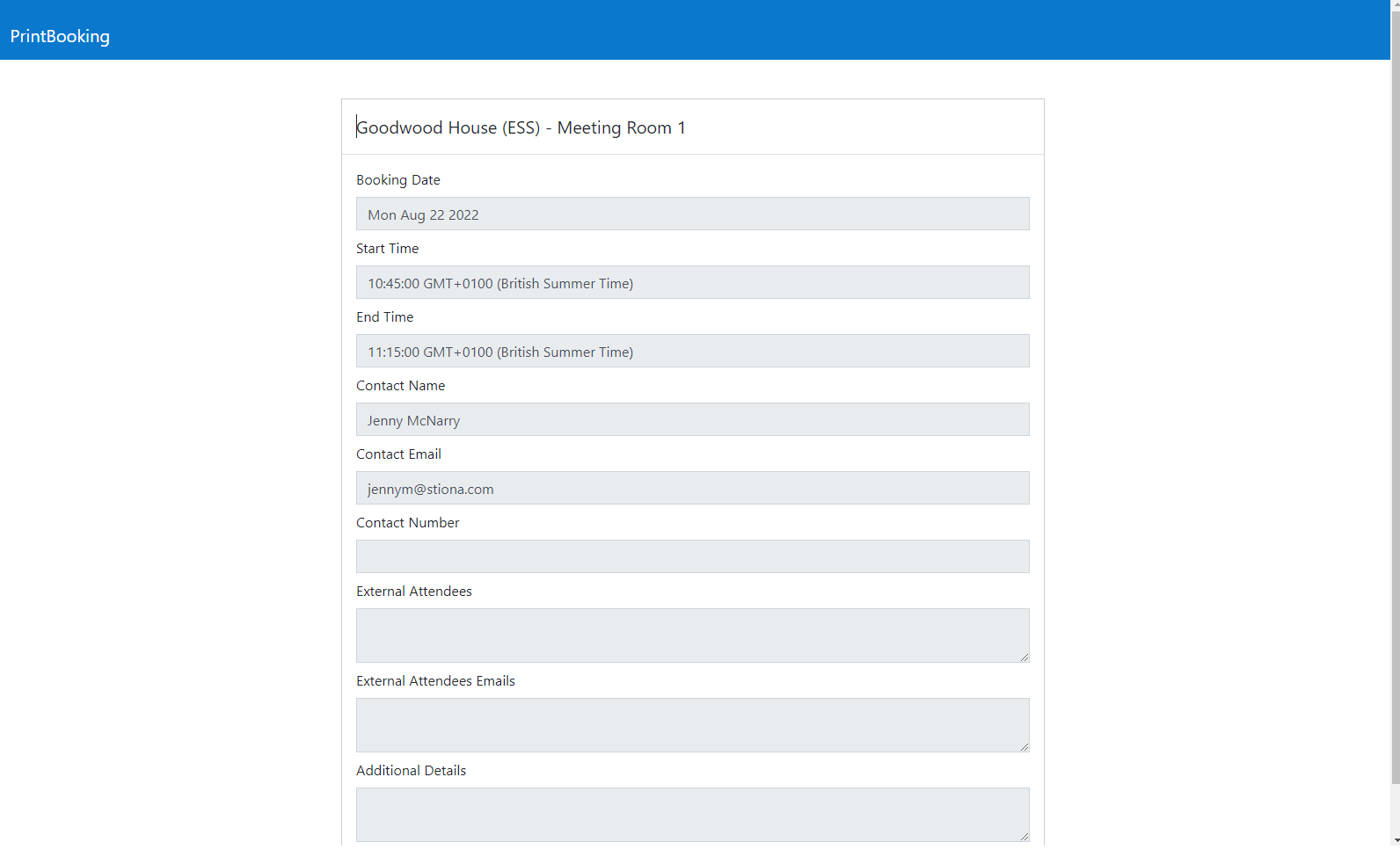
Each booking can be printed by selecting the Print button
All Bookings
A Roombooker can view all booking in up to a one month period, by selecting the All Bookings item from the left hand menu.
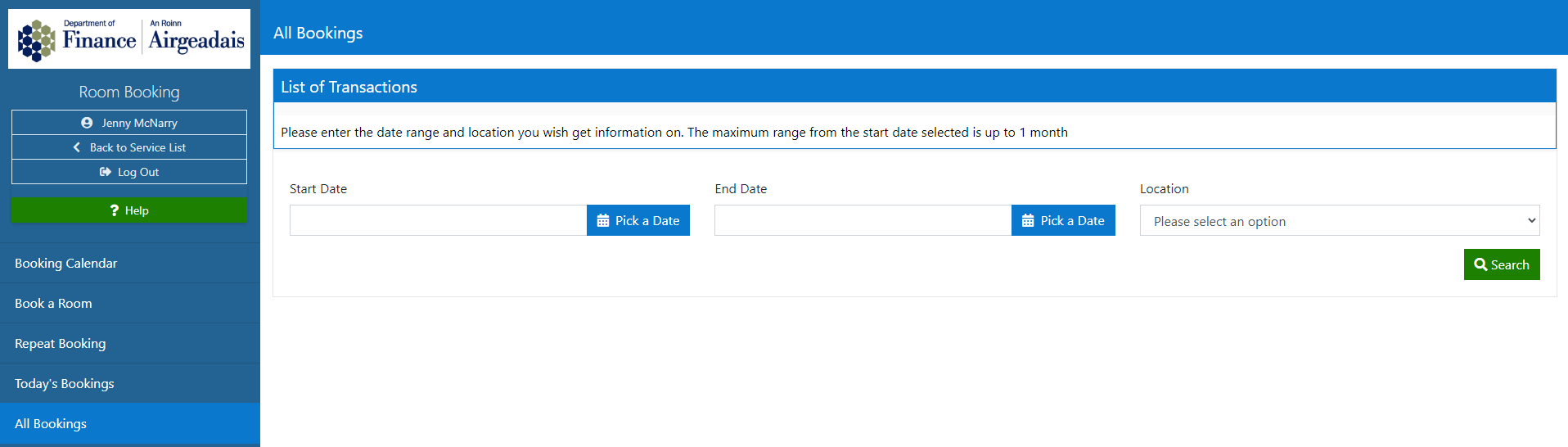
- Enter the date period (maximum one month)
- Enter the location
- Select Search
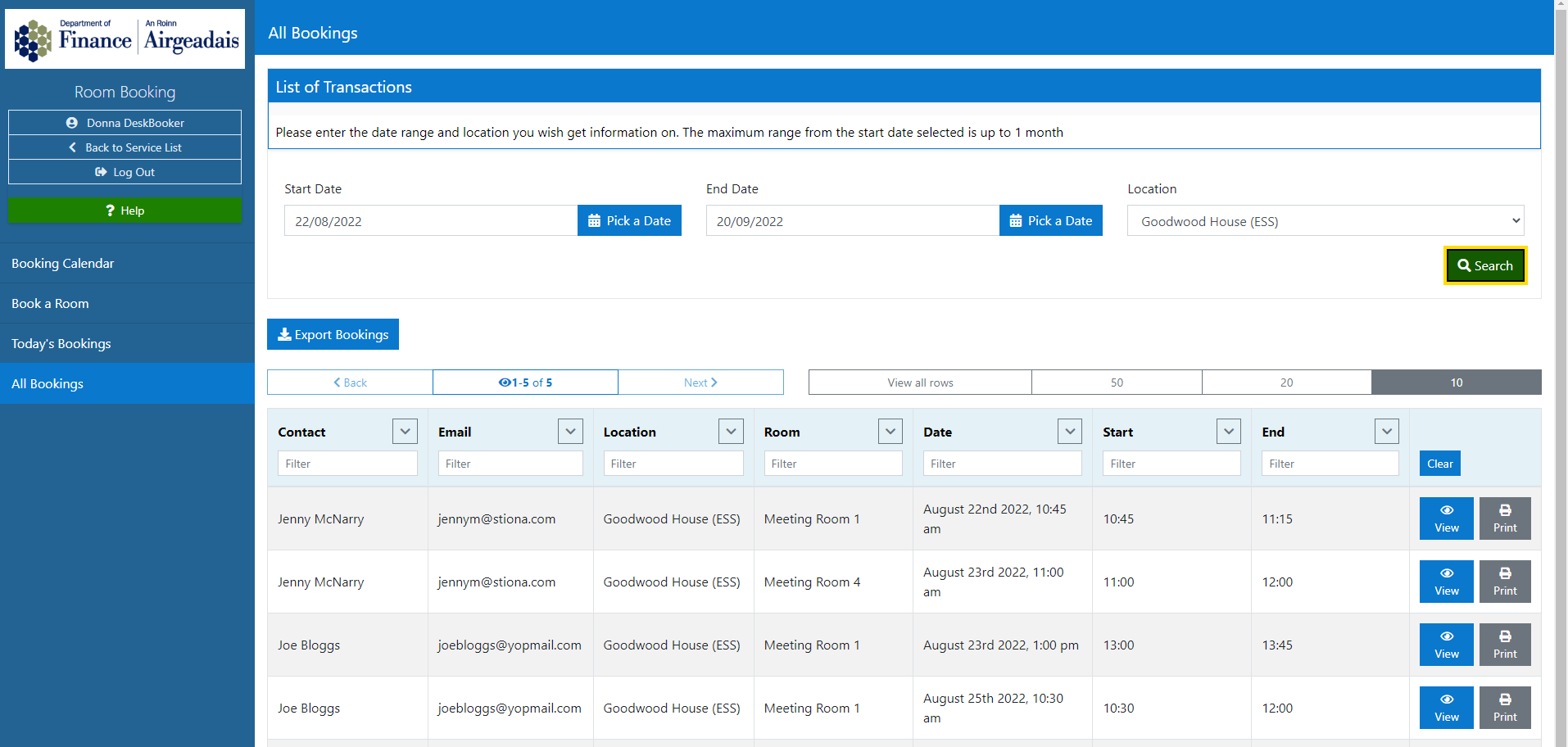
The results will be displayed in a searchable table, which can exported using the Export Bookings button.
Each booking can also be viewed by selecting the View button
Each booking can be printed by selecting the Print button
Cancelled Bookings
A Roombooker Admin can view and export a list of cancelled booking within a specific time period.
- Select Cancelled Bookings from the left hand menu
- Enter the time period required
- Select Search
The matching results will be displayed on screen
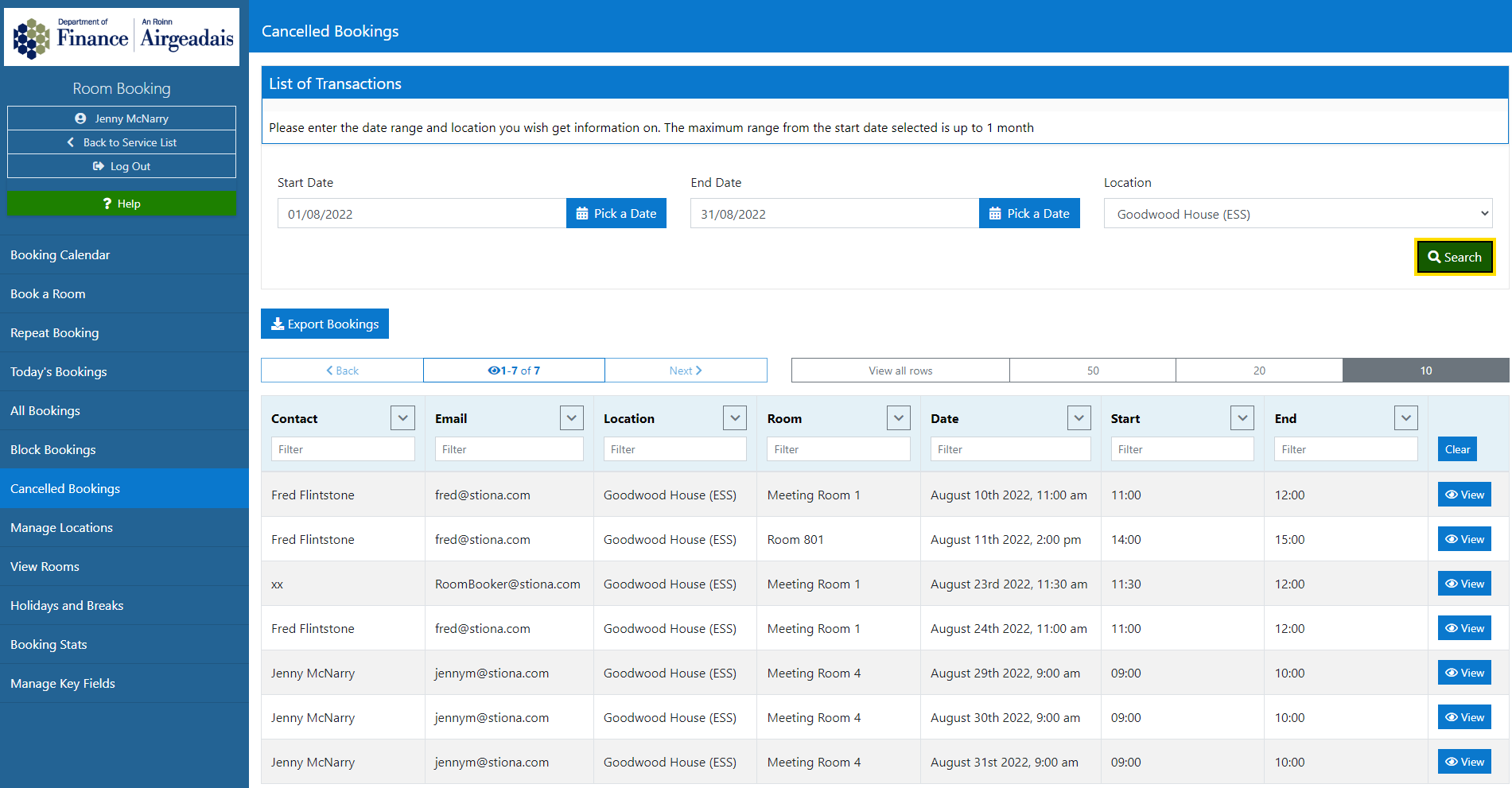
The table can be exported by selecting the Export Bookings button.
Details of any cancelled booking can be seen by selecting the View book on the right hand side of the table.