Release 1.11.0
New Functionality
1. History - Create Events for Public View Only
Public History will display only public events. Events that are created on the admin side will be created either admin only or admin and public view. The Public history of a transaction will only display the public events, any admin only events will be hidden from the public view.
2. Email Generation-specify a public secure link.
Once a public user has submitted a form. they will receive a confirmation email that will include a secure public link to their submission

3. Public - Implement Left Hand Functionality to Public View
Once the public user has submitted a Form, they will receive an email confirmation. They will be able to view their submission in a portal and track the progress, see the history and any related 'Messages' (Rfi)
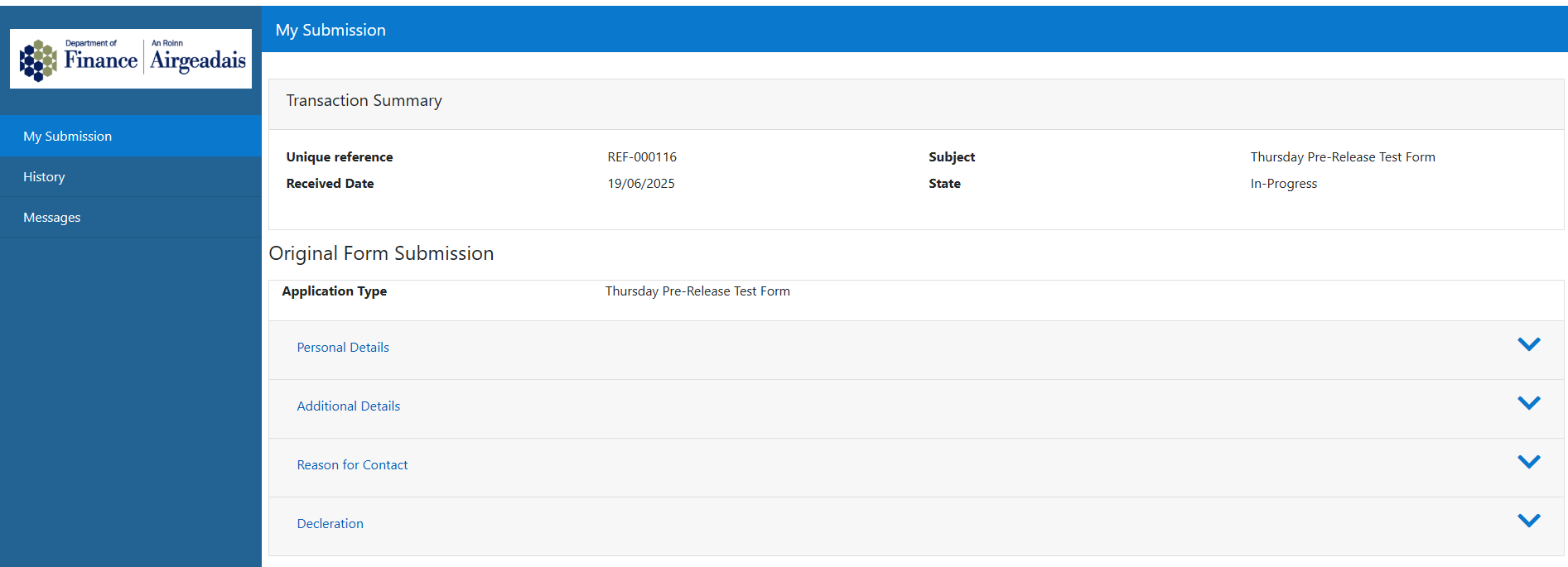
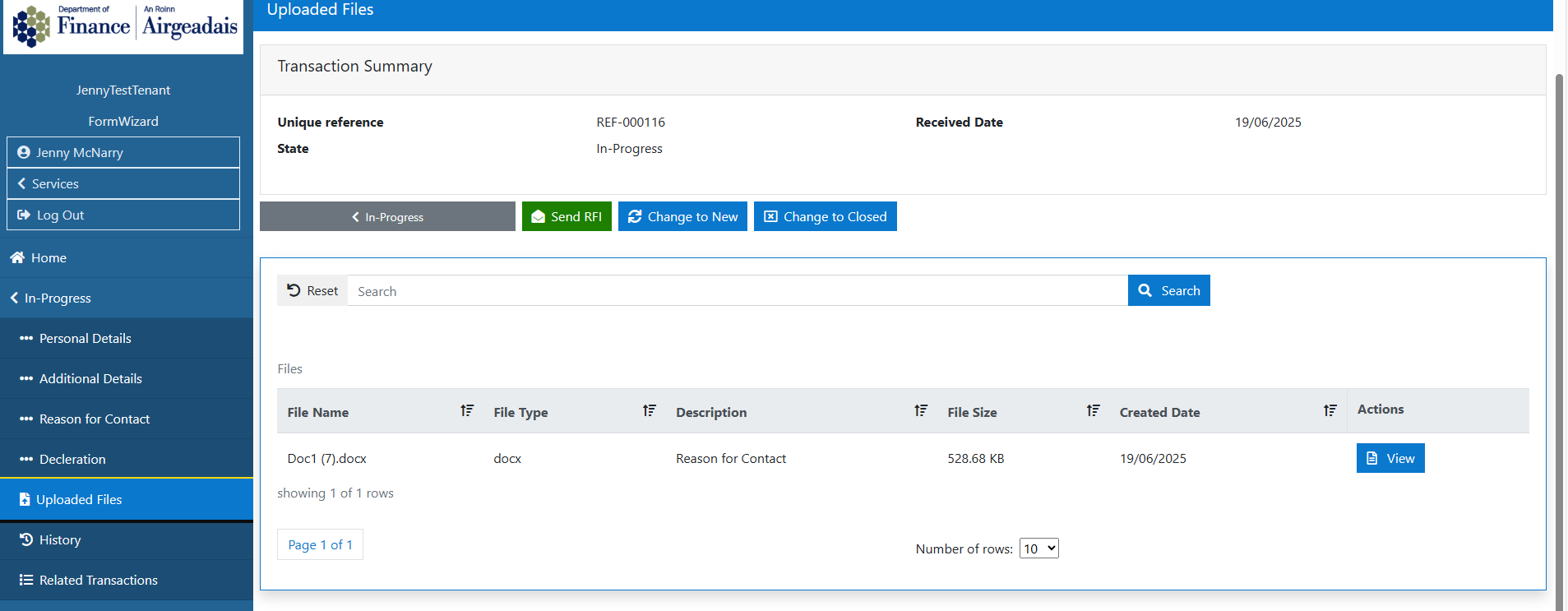
4. Transactions - Documents uploaded will display against section they were uploaded to
Documents upload as part of a Form, will display in the documents uploaded section of the left hand navigation
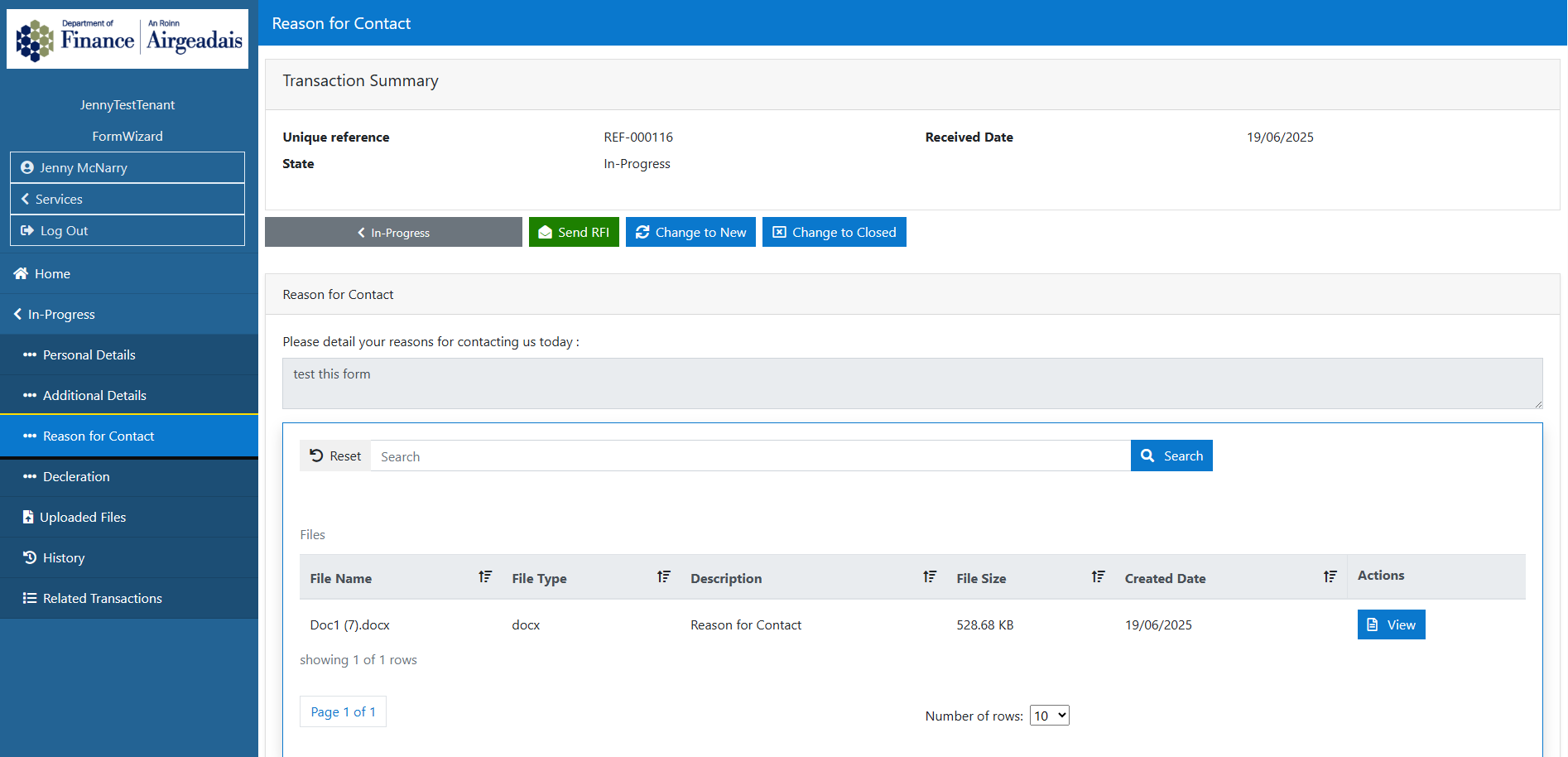
The uploads will now also display in the section (Reason for Contact in this example)
5. Ability to select a Reason for Closure
A Form can now be created with the ability for the User to select a Reason for closure.
If Closure reasons are required, a stateflow task has to be added to the Form wizard Instance, this will be configurable at the Form or instance level as desired. Once the task has been created, the task must be added to your state flow DTO : Example
   {
      "ButtonClass": "btn btn-primary mr-2",
      "ButtonDisplayName": "Change to Closed",
      "ButtonIcon": "far fa-window-close",
      "ManualTask": "stateChangeFormClosureReason",
      "NextState": "Closed",
      "StartingState": "New",
      "stateFlowKey": "stateChangeFlowClosureReason",
      "Type": "StateChange"
    },
The state flow can be set at a Form instance level by setting the list of reasons in static data per form.
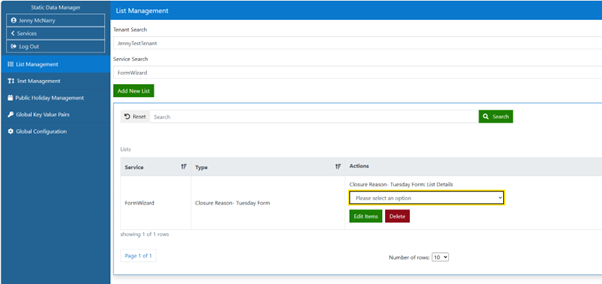
These reasons will then be displayed in the modal when changing state to Closed.
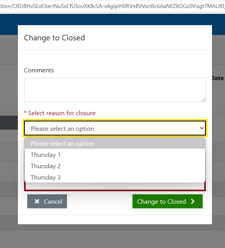
(If there is no static data list, the default closure reasons in the task will be displayed)
Updated Functionality
- Updated State Flow to send State Change email to citizen only when a public event exists